Patient management for psychologists
Find the right patient and continue the work
Organize your patient list so finding a case becomes the start of the next step, not another isolated task.
Start the 14-day trialThe everyday problem
The value is keeping related work in context.
A psychology practice moves through scheduling, patients, records, notes, assessments, and exports. When those steps are spread across unrelated tools, continuing a case requires more manual searching and reconstruction.
- Context is harder to recover before a session.
- Information may be duplicated across documents.
- Follow-up can become fragmented.
How it works
A connected path through the practice
In the product
Features connected to real work
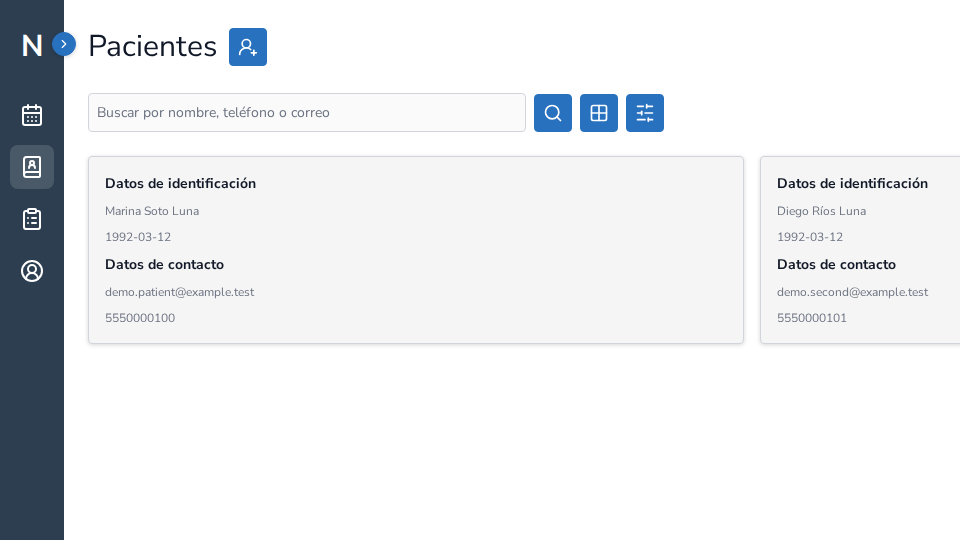
- Search and filters to locate patients
- Record access from the profile
- Connections to appointments, notes, and follow-up
Illustrative scenario
Illustrative scenario
A psychologist reviews an appointment, opens the relevant patient context, records the session, and keeps the next step with the case. This is an example of a workflow, not a testimonial or outcome claim.
Product evidence
Product evidence should match the feature described
NeuraClinic brings related practice information into one workflow. Where a verified product capture is available, it is labelled as fictional demonstration data; otherwise the workflow is shown as an explanatory diagram.
Connected to the rest of NeuraClinic
Information stays connected to the client and the steps that follow. You can review, document, and follow up within one workflow.
Frequently asked questions
Does NeuraClinic replace professional judgment?
No. NeuraClinic organizes information and workflow; professional decisions remain with each psychologist.
Can I export the list?
The application includes patient-list export according to the features available in your account.
Explore the NeuraClinic workflow
Review the workflow against your own practice and decide whether it fits.
Start the 14-day trial